
Software built for marine service pros.
The customer isn't the account — it's the hull. Boats change hands, owners keep two, and the record that matters is the one attached to the vessel.
Per-vessel history, seasonal checklists and installs billed to the hull.
Marine service is a mobile trade with a memory problem. You are at a different marina every day, half your work is seasonal and comes back around once a year, and the thing you actually need history on is a boat that may have changed owners since you last touched it.
OrbitOps Pro attaches the record to the vessel. Winterization and spring commissioning arrive as built checklists, installs quote and schedule as one job, and the electronics you fit are billed to the hull that got them.
Every vessel keeps its own file
An owner with a center console and a cruiser is two boats, two engine hours, two winterization histories — and one very annoyed customer if you confuse them.
The boat is the record
Each vessel sits under the customer with its name as the identifier, so the history follows the hull rather than the person who happens to own it this season.
Electronics with serials and warranties
The chartplotter you fitted last spring is recorded against that vessel with its serial number and warranty date. When it fails in year two, the claim is a lookup. The engines, the generator and the rest of the vessel’s equipment are recorded as its components, each with its own make, model and serial; on Executive the tech can photograph a data plate and the AI assist reads it into a card for the tech to check — nothing lands on the vessel until they confirm it.
A history you can hand over
Every visit, part and install stays on the vessel permanently, and can be produced as a service record on request — which is the document that makes a resale conversation short.
Nobody rewrites the log
Once something is logged against a vessel, nobody can edit or delete it — not the office, not the tech, not us. A correction is added as a new entry, so the record only ever reads forward. That is what makes the history worth handing to somebody who is relying on it.
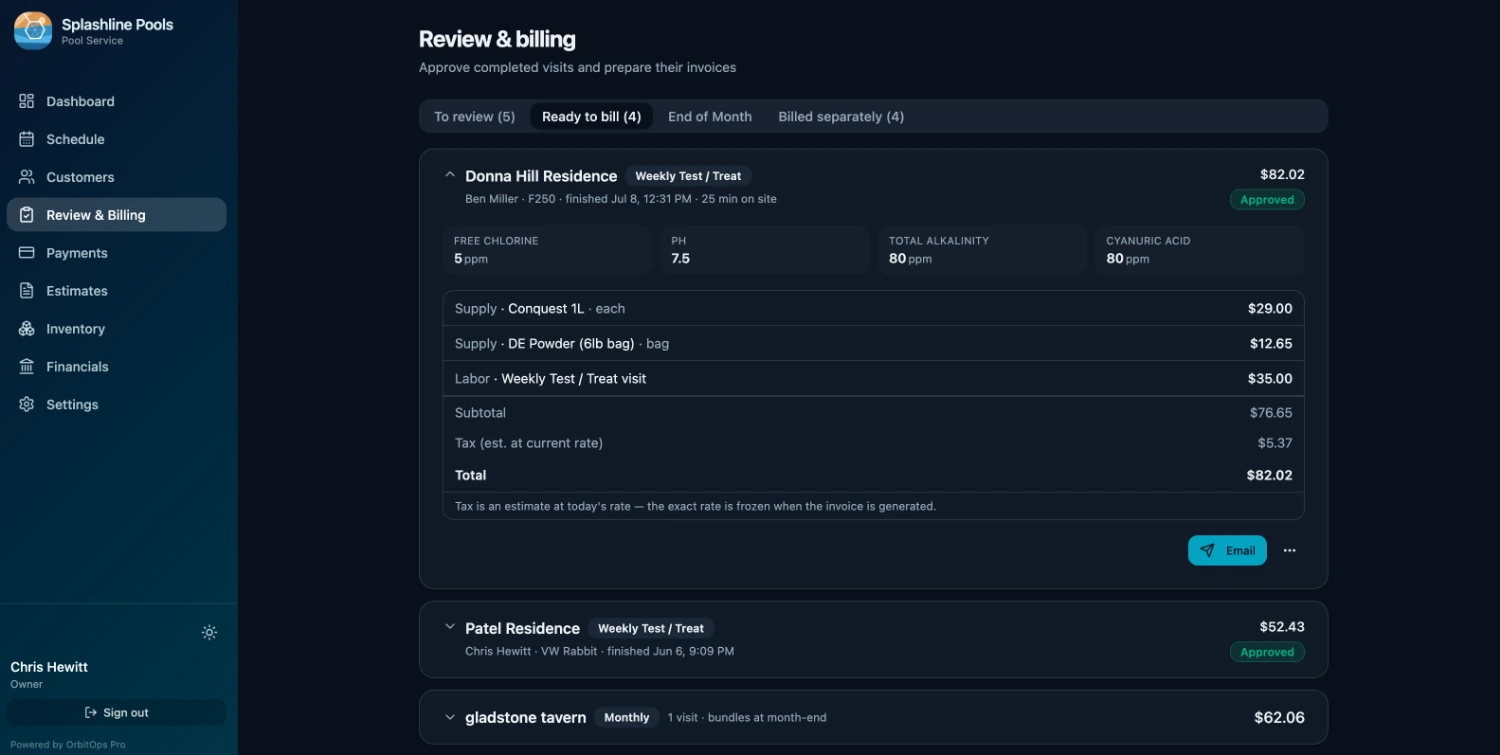
Per-vessel records come in on Executive. Because invoice lines are tagged to the unit, an owner with more than one boat gets a bill that breaks down per hull.
One boat, three seasons, one record
Haul-out, storage, splash. The same vessels come back around every year, and the work is detailed enough that "we did it the usual way" is not a record of anything.
Winterize, step by step
Drain the water systems, run antifreeze through them, fog the engine, stabilise the fuel, disconnect and store the batteries, cover or shrink-wrap. The checklist is built in, and ticking it off becomes the record of what was done to that hull.
Spring Service, step by step
De-winterize the engine and systems, reinstall and test the batteries, check fluids and filters, test the pumps, electronics and lights. The tech who splashes the boat may not be the one who wrapped it — the checklist closes that gap.
What the haul-out turns up
A winterization that finds a cracked impeller housing becomes a quote, and approval turns it into scheduled work with its parts list — booked for the off-season, when you have the time. That much is on every plan. On Executive, the quote is written against that specific vessel and carries photographs of what you found, plus the ordered scope the tech opens as the job’s checklist.
Last year, on the same boat
Because the history sits on the vessel, this year's winterization opens with what you found last year already visible. Recurring seasonal work stops starting from zero.
Quote it, schedule it, bill it as one job
An electronics install is the highest-value work in the trade and the easiest to lose money on — because the quote, the parts order and the invoice usually live in three different places.
Quoted against the boat
The quote is attached to the vessel, not just the customer, so what you priced and what you are fitting it to stay connected.
Approved becomes scheduled
Once the owner approves, the quote becomes an Install job carrying its parts list — review the plan and parts, mount and fit the equipment, wire, plumb and connect, test operation, clean up.
Fitted becomes billed
Every unit and length of cable the tech logs becomes an invoice line against that vessel and draws down from truck or shelf stock with its cost attached. The bill of materials matches what actually went into the boat.
The delivery back in, in one press
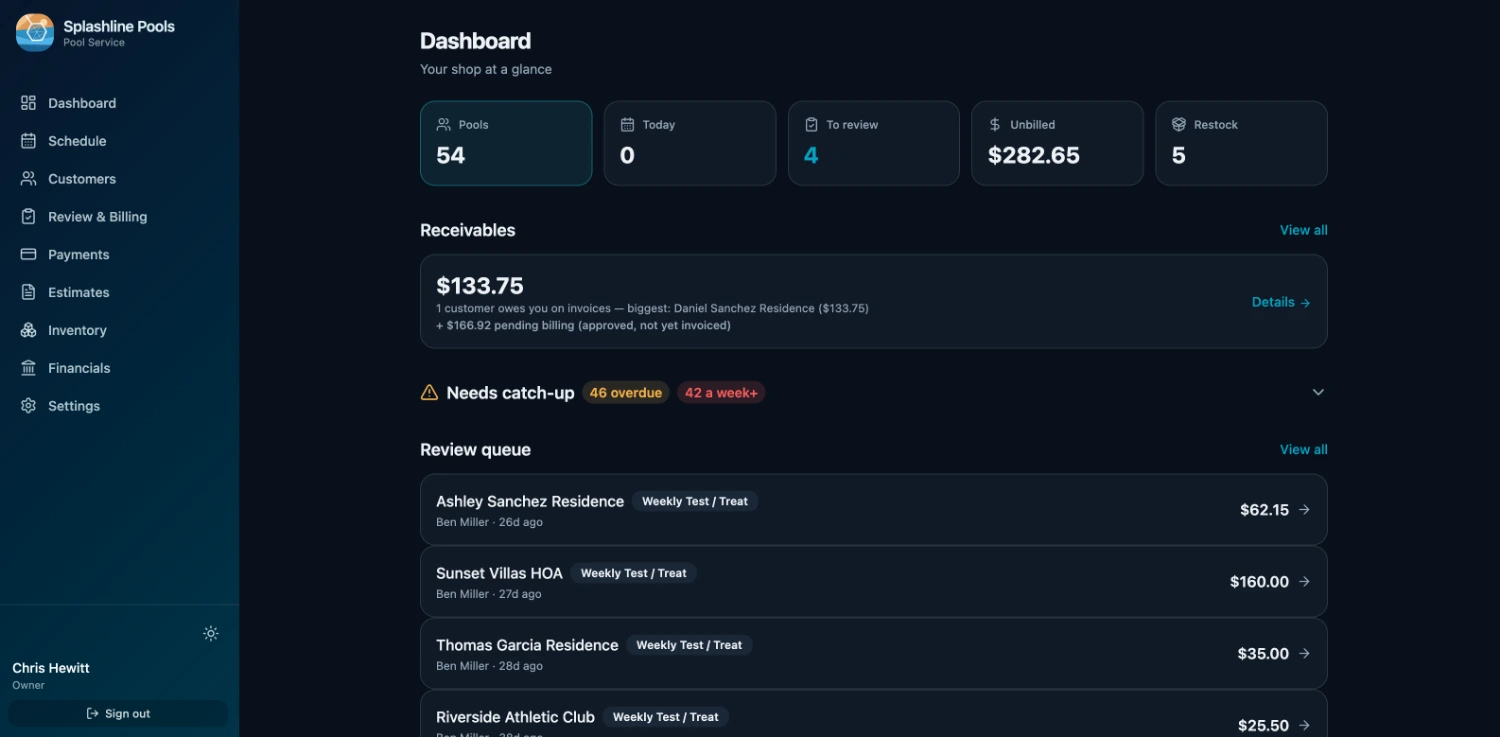
The last arrow is the one most systems leave to you. When the order turns up, book it in against the purchase order that raised it: the stock lands on the shelf and the order marks off what arrived, in the same press. Nothing is counted twice — press it again on a bad signal and the second press moves nothing.
- Half now, the rest next week. A short delivery is recorded for what actually came, and the remainder stays open on the order. The next van is a second delivery against the same PO, not a correction to the first.
- You cannot receive more than you ordered. A line that would take the delivered count past what the order asked for is refused, not quietly absorbed.
- A wrong delivery is corrected, never rewritten. Undo one and it takes back exactly what that delivery put on the shelf — read from the record the delivery itself wrote, not recalculated from what the order says today. Nothing is deleted: the reversal is appended beside the delivery, so a delivery that arrived and was taken back stays two facts rather than becoming silence. Miscounted it? The original is kept and reversed, and a new one records what really arrived, linked back to the one it replaces — the same way an invoice is voided and reissued instead of edited.
- All of it, or none of it. If the fourth line on a delivery names a product you have since removed, the first three do not land either. There is no half-received order to unpick.
- Photograph the slip, read the statement. On Executive, the AI assist reads a photographed packing slip against the purchase order it belongs to, and reads a supplier statement so it can be reconciled line by line against the deliveries it bills. Both come back as proposed matches. The office confirms each one, and nothing is settled until somebody says which.
Estimates, inventory and purchase orders all come in on Executive. On Premier, the money-recovery reports surface the installs you quoted and never closed.
You work at the slip, not at a desk
Marine techs spend the day between marinas with their hands full. Anything that needs a laptop and a quiet moment does not get done.
The day, on the phone
Techs open the day's jobs, work the checklist and log parts from the dock. The visit closes where the work happened.
The week on paper, before the signal drops
One press saves the week as a PDF: every scheduled job, who it is assigned to, and the contact details for the customers on it. If the marina has no signal, the day still runs off the copy you already saved.
One marina at a time
Cluster the day's jobs by location so a tech clears a marina before moving on — on every plan. On Executive and Premier, route optimization sequences and maps the route between them.
Confirm before you drive
Appointment confirmation is on for marine on every plan — worth having when the owner needs to meet you at the boat and the next marina is forty minutes away. On Executive it goes by text from your own number to owners who have agreed to texts, and they reply to confirm; otherwise it is a confirmation call from the office.
Paid from the dock
Send a pay link as the job closes; the owner settles by card on Stripe's hosted checkout and the funds land in your own Stripe account. Cash and checks get recorded against the same invoice.
Billed as each job closes
A haul-out, an install or the weekly rinse and dry bills as its own job when it closes. What the tech logged is already on it, so billing is approve, send, done — and a statement shows an owner everything still open on the account.
Sell the job, and the parts follow it
Winterizing a twin-engine boat is the same job every November. Price it once, with what it uses.
Sold hours and an Includes list
A service in the price book carries the hours it is sold as and the parts and materials it includes — the antifreeze, the fuel stabilizer, the impellers on a pump service.
Frozen on the line, drawn from stock
Bill the service and its Includes list is frozen onto the invoice line against that vessel and drawn from stock, so what came with the price is counted out without anyone logging it twice.
Bring the book you have
An existing price book comes in from a spreadsheet, and editing a service later never rewrites a line you have already billed.
The day arrives on the phone, already in order
The office builds the week. The tech opens one screen and works down it — and everything recorded on the way is what the invoice gets built from. The tech’s half runs in the OrbitOps Field app (App Store · Google Play); the office’s half runs in the browser.
Open it and work down the list
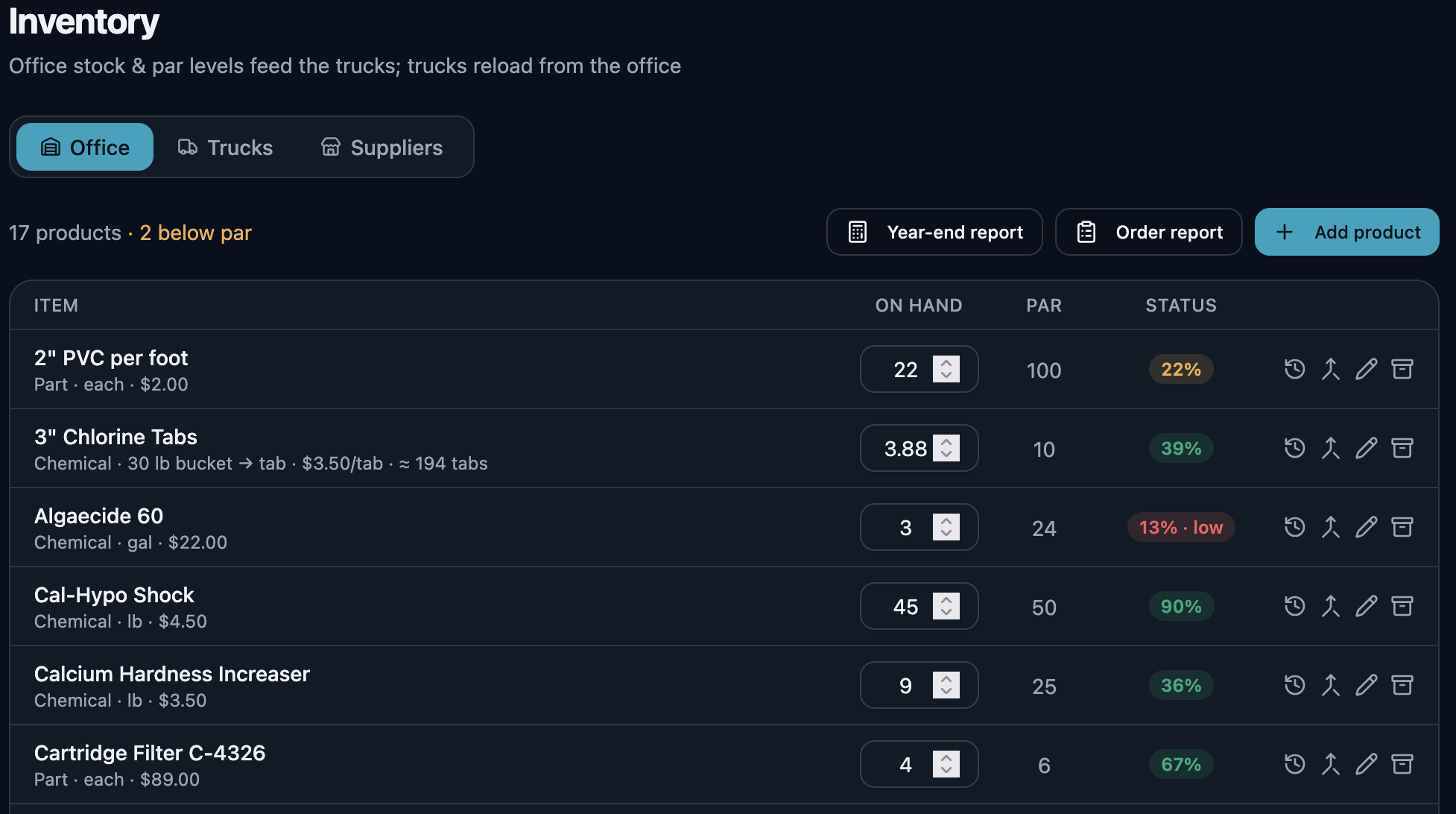
Today opens on the stops in order, each with the customer, the visit type and the address, and a count of how many are done. One tap starts a stop, one opens it in Maps. Nobody is calling the office to ask what is next.
What they record is what you bill
Materials, readings and notes are captured at the stop while the tech is standing in it. The visit record is the billing record, so the invoice is built from what happened rather than reconstructed on Friday.
Billing and quoting from the driveway
A tech you trust can bill a stop as they finish it, and build an estimate while they are standing in front of the work. What they bill in the field lands as already billed, so the office cannot bill the same visit a second time. The billing grant is per tech and yours to give. Quoting from the field is on every plan — the foreman standing in front of the work is the one who knows what it is. Writing the ordered scope onto that quote, photographing what is being quoted, and starting from a quote you have already written come in on Executive.
“On my way,” with a face on it
On Executive, the tech taps Depart and the customer gets an “On my way” text with a link to an arrival page: your logo, the tech’s first name and headshot, and where the visit sits in the day — stop 2 of 5, or the appointment time. No map and no live tracking; just who is coming.
The customers still waiting on something you meant to do
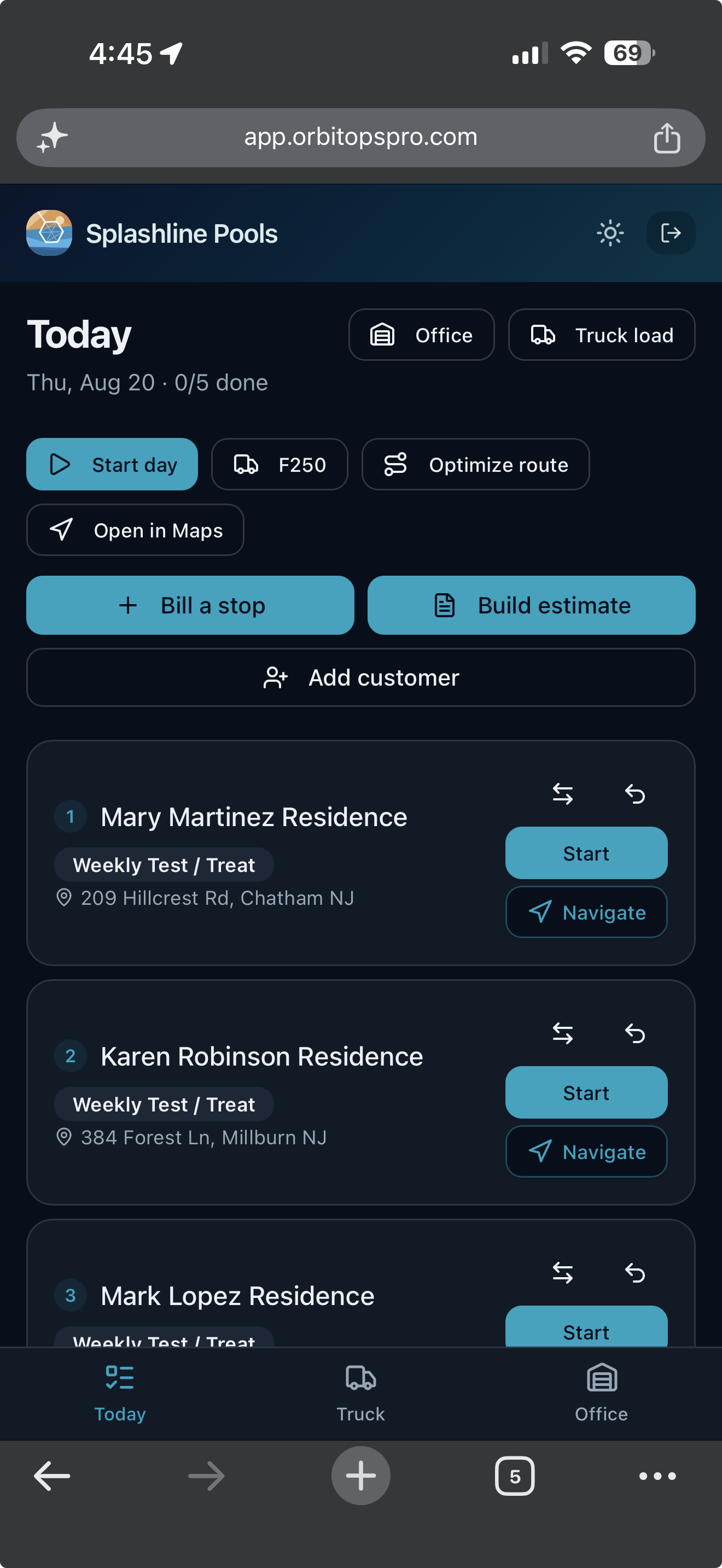
A tech writes up a cracked impeller housing on a Tuesday and nobody quotes it. An owner approves an electronics install and it never reaches the schedule. These are not leads to chase — they are your own customers, waiting on work you fully intended to do.
- A repair your tech flaggedThe tech closed the job, wrote down what the vessel needs, and no quote has gone to that owner since.
- A visit that would bill nothingA job closed, still waiting on your review, and carrying no charge at all — caught before it goes out as an invoice that says the same.
- Approved, never scheduledThey said yes to the quote. It never became a job on anybody’s day.
- A quote that went quietSent, and a week has gone by with no answer — long enough that a follow-up still reads as attentive rather than late.
- An agreement coming to its endThe term runs out inside the next two months and it does not renew itself. Agreements themselves are part of Premier.
- A warranty about to lapseA part you installed is inside its last two months of cover, or slipped out of it within the last thirty days. Read off the part’s own warranty date, never guessed from how old the record is.
- A customer nobody has been toStill on your books, still marked active, and ninety days since anyone closed a visit for them.
Every one of these is read off records you already have — visits, quotes, line items, agreements. One line each, and one action each: start the quote, add the charge, book the job, send it again. Anything genuinely fine gets dismissed, and dismissing it is neither a snooze nor forever — the moment something new happens for that customer, the row comes back on its own.
And the local post you never get around to writing
The same section turns a job you have already finished into a short local update: the service, the kind of work, the town, the month and its season. No customer’s name, no street address and no price can appear in one, because the facts a post is written from carry no such field. The town is in; the street is not. Here, an install, a repair and the seasonal round are three of the six occasions it writes from.
Ready to copy to Google Business Profile, Facebook, Instagram or Patch. Each one’s length is checked before you copy — past Google’s 1,500-character limit is a problem to fix, past the point Facebook folds the rest behind “See more” is only worth knowing — and nothing is ever cut short for you. Hashtags appear only where the channel takes them.
Hauled and winterized another boat in Mount Pleasant this week. The jobs that turn into spring headaches are almost always the ones that skipped the fall service.
We do not post on your behalf and OrbitOps Pro holds no account of yours on any of them. You copy the words out and post them yourself.
What marine techs ask us
Does each boat get its own record?
Yes, on Executive and Premier. A vessel is its own record under the customer, with its name as the identifier. Work is billed against that vessel, installed electronics and parts carry their serial numbers and warranty dates, and the service history stays permanent — so an owner with three boats gets three histories, not one pile of notes.
Does it handle winterization and spring commissioning?
Yes, as their own visit types with built checklists. Winterize covers draining the water systems, running antifreeze through them, fogging the engine, stabilising the fuel, disconnecting and storing the batteries, and covering or shrink-wrapping. Spring Service covers de-winterizing the engine and systems, reinstalling and testing the batteries, checking fluids and filters, and testing pumps, electronics and lights.
Can I quote an electronics install and turn it into a job?
Quoting is on every plan: send it for approval and the approved quote becomes a scheduled Install job carrying its parts list. The Install checklist walks the tech through reviewing the plan and parts, mounting the equipment, wiring, plumbing and connecting it, testing operation and cleaning up. Quoting against the specific vessel is part of per-unit service history, on Executive — as are photos on the quote, the ordered scope list the tech runs as the job's checklist, and starting a quote by copying a previous one.
Will the parts and electronics I fit get billed?
On Executive and Premier. The tech logs what went into the boat as they work; each item becomes an invoice line against that vessel and draws down from truck or shelf stock with its cost attached. Because lines are tagged to the unit, an owner with more than one boat gets a bill that breaks down per hull.
I work from a truck across several marinas. Does that work?
Yes. Techs run the day from their phone at the slip. You can cluster the day's jobs by location on any plan so one marina is worked through at a time; on Executive and Premier, route optimization sequences the day and maps it. Appointment confirmation is available on every plan, which matters when the owner has to meet you at the boat.
Can I show an owner everything done to their boat?
Yes. The vessel's service history is permanent and can be produced as a record on request — every visit, part and install against that hull. It is the document that makes a resale conversation short.
Your customers didn't sign up for our software — you did. Their names, addresses and phone numbers stay in your account. Your books get a month of totals rather than your client list, and our own support console can't display who they are.
What leaves your account →Run your marine services business, not your software.
Create your account and get set up in your trade. Scheduling, invoicing and card payments are included in every plan.
Questions first? Talk to us.
Email support@orbitopspro.com to chat with us.